Master Digital Receipts in 2026: Stop Drowning in Thermal Paper
Paper thermal receipts fade. Fast. By month three, you’re holding a blank, slippery strip of white trash while trying to remember if that $142 purchase was for office printer ink or a fancy dinner you definitely can't write off.
It’s maddening.
In 2026, relying on physical shoeboxes full of paper isn't just old-school—it's financial Russian roulette. Between stricter audit trails and frictionless digital transactions, mastering digital receipts is your ticket to seamless bookkeeping and zero tax-season panics.
Whether you're running a boutique agency, freelancing from a home desk, or managing a scaling small business, here is how to build a bulletproof digital receipt system right now.
1. Capture at the Source (No Excuses, No Delays)
The biggest mistake people make? Delaying the upload.
You buy office supplies, shove the paper in your pocket, and tell yourself you'll deal with it on Friday. Friday comes. You forget. The receipt vanishes into the laundry abyss.
Kill this habit today. Capture receipts the second the transaction happens.
- For physical purchases: Use a dedicated mobile app with instant OCR (Optical Character Recognition). Snap a picture before you even leave the store register.
- For online purchases: Set up auto-forwarding email rules. Route every invoice or payment confirmation from vendors like Adobe, Apple, or Amazon directly into your cloud receipt vault.
- For POS systems: If you sell in person, offer SMS or Apple Wallet receipts alongside email options. Customers appreciate the speed, and you save a bundle on register roll paper.
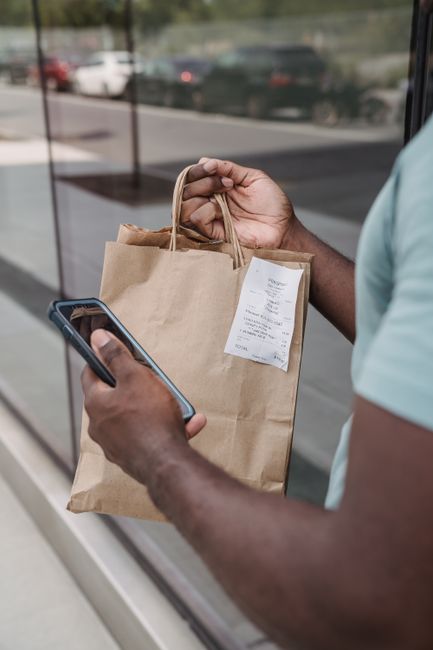
2. Adopt standard Naming Conventions That Don't Suck
Searchability is everything. If your stored files are named IMG_4092.pdf or Scan_2026_01_14.png, you’re setting up a treasure hunt where nobody wins.
Pick a clear, uniform naming protocol for every single file. Stick to it like glue.
A proven formula that works across all cloud drives:
YYYY-MM-DD_Vendor_Amount_Category.pdf
For example:
2026-03-12_HomeDepot_84.50_OfficeMaintenance.pdf
Why does this matter?
When your accountant asks for every equipment expense over $50 from Q1, you won't need to open 200 PDFs. You just type OfficeMaintenance into your drive's search bar, filter by date, and hand over the goods in ten seconds flat.
3. Play Nice with the IRS (Keep Audits Boring)
Let’s be honest: nobody wants a lively audit. You want tax audits to be so dull the agent falls asleep.
The IRS has accepted digital records for years, but they have ground rules. A fuzzy, illegible photo taken on a cracked camera lens won't cut it.
To keep your digital receipts 100% audit-proof in 2026:
- Ensure legibility: The vendor name, date, itemized list, tax amount, and total paid must be crisp.
- Note the business purpose: For meals or client entertainment, append a quick note to the digital file. Who did you meet? What project was discussed? Write it right in the app metadata or file description.
- Store duplicates safely: Follow the 3-2-1 backup rule. Three copies of your financial data, across two different media types, with one stored offsite (e.g., local encrypted drive + primary cloud storage + secondary cold cloud backup).
4. Bridge Receipts Directly into Your Accounting Tech
Manual data entry is a giant waste of your time. If you’re manually typing invoice numbers into a spreadsheet every month, stop.
Modern accounting software can automatically pull data from scanned images, extract the tax amounts, and match the transaction to your live bank feed.

Here’s how to streamline the workflow:
- Connect your bank feed to your bookkeeping tool.
- Upload the receipt scan via app or email drop-zone.
- Let the system auto-match. The platform spots the $45 transaction on your card and merges it with the uploaded receipt from your inbox.
- Review weekly. Don't let unmatched items pile up. Spend five minutes every Monday morning confirming match suggestions.
5. Send Professional Digital Receipts (If You're the Seller)
If you bill clients or run a shop, your outgoing digital receipts are an extension of your brand. Sloppy text-only receipts look amateurish. Worse, they trigger customer support tickets when people don't recognize the charge.
Make sure your outgoing digital receipts feature:
- Clear Branding: Include your logo, business address, and contact details.
- Recognizable Billing Names: Ensure the credit card descriptor matches your brand name, not some obscure parent LLC.
- One-Click Support Links: Include an easy link for questions, refunds, or tax ID requests.
- Itemized Breakdowns: Show clear line items, tax calculations, and payment methods used.
The Bottom Line
Digital receipt management isn't flashy. It won't land you on the cover of a business magazine. But it will save you dozens of wasted hours, prevent costly tax penalties, and keep your financial pulse steady.
Pick an app, set up your folder structure today, and purge that paper clutter once and for all.